Private by architecture, not by setting.
Your data lives on your device and in your personal iCloud, nowhere else. Read the full Privacy Statement.
Nothing to sign up for and no sign-in. Open the app and start.
FinTabi never asks for your bank credentials, so they’re never shared with anyone. Statements are imported and read on your device.
No analytics and no data sold. Market quotes are fetched by ticker symbol only.
Your whole picture, in one scroll.
Open the app and see where you stand: net worth and how it’s changed this year, which budgets need a look, and how your investments are doing.
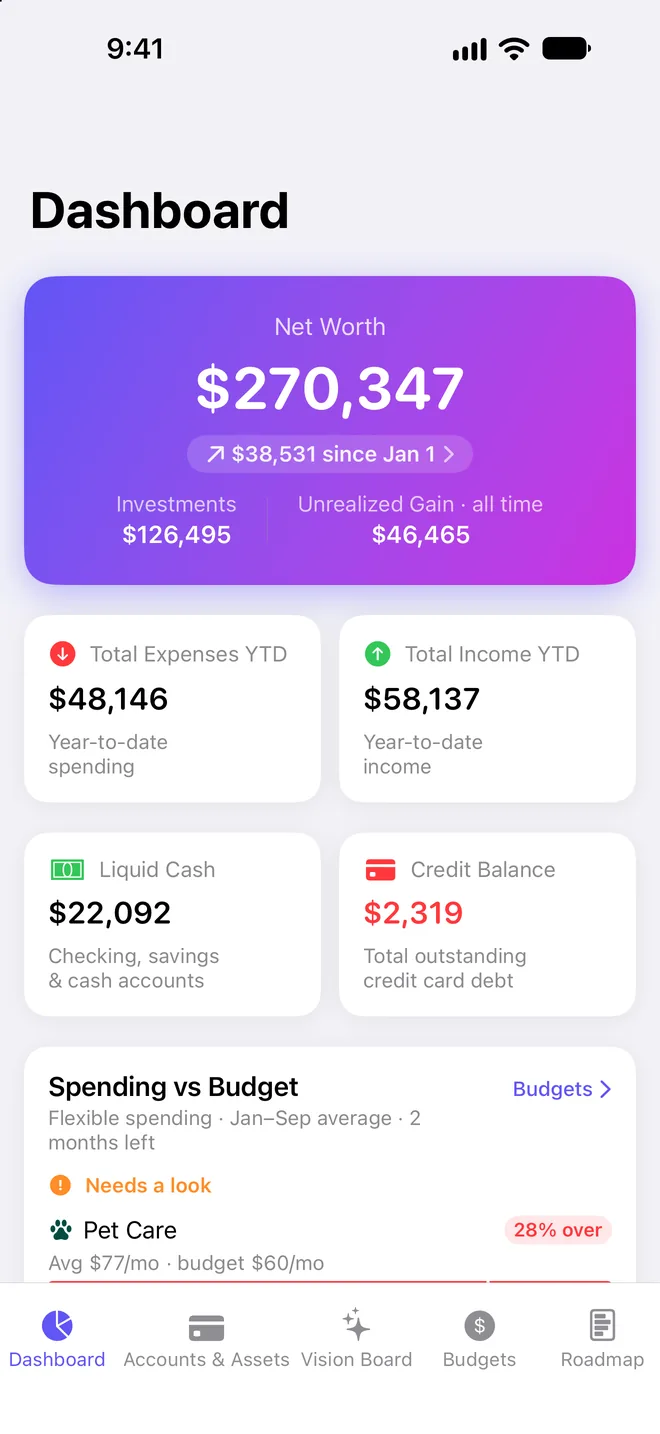
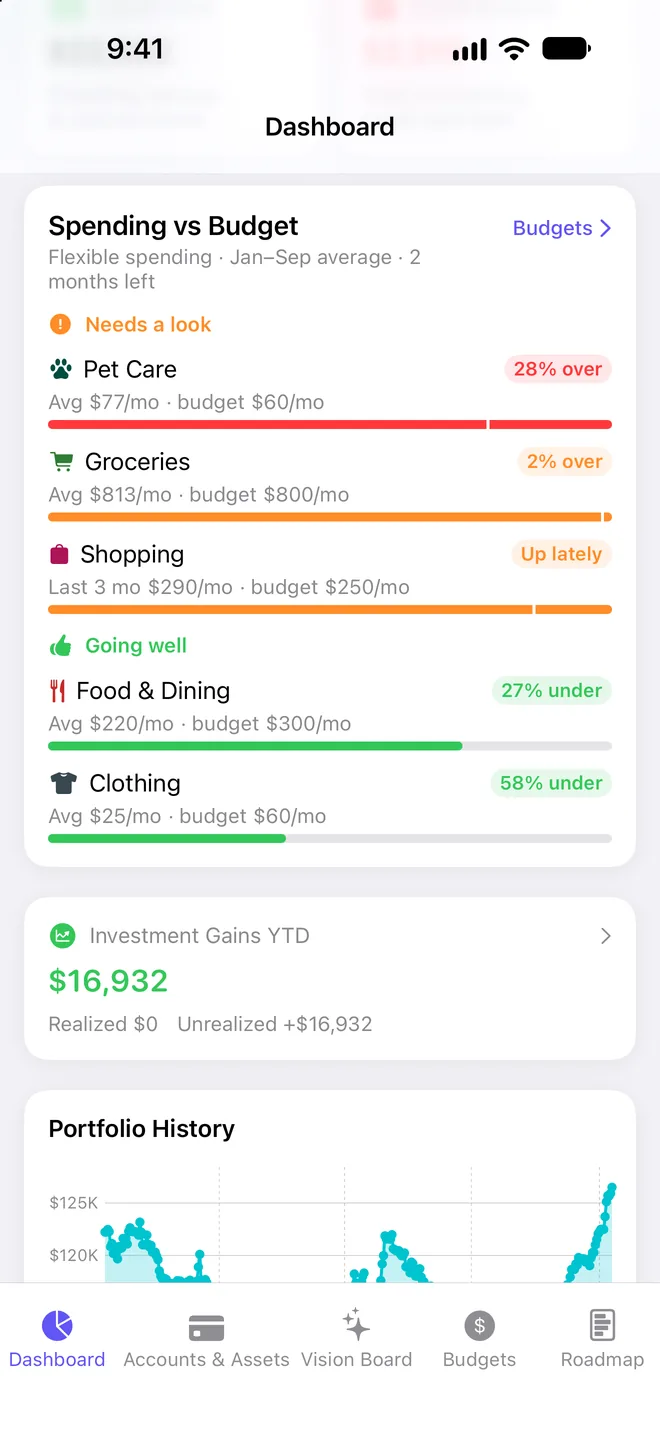
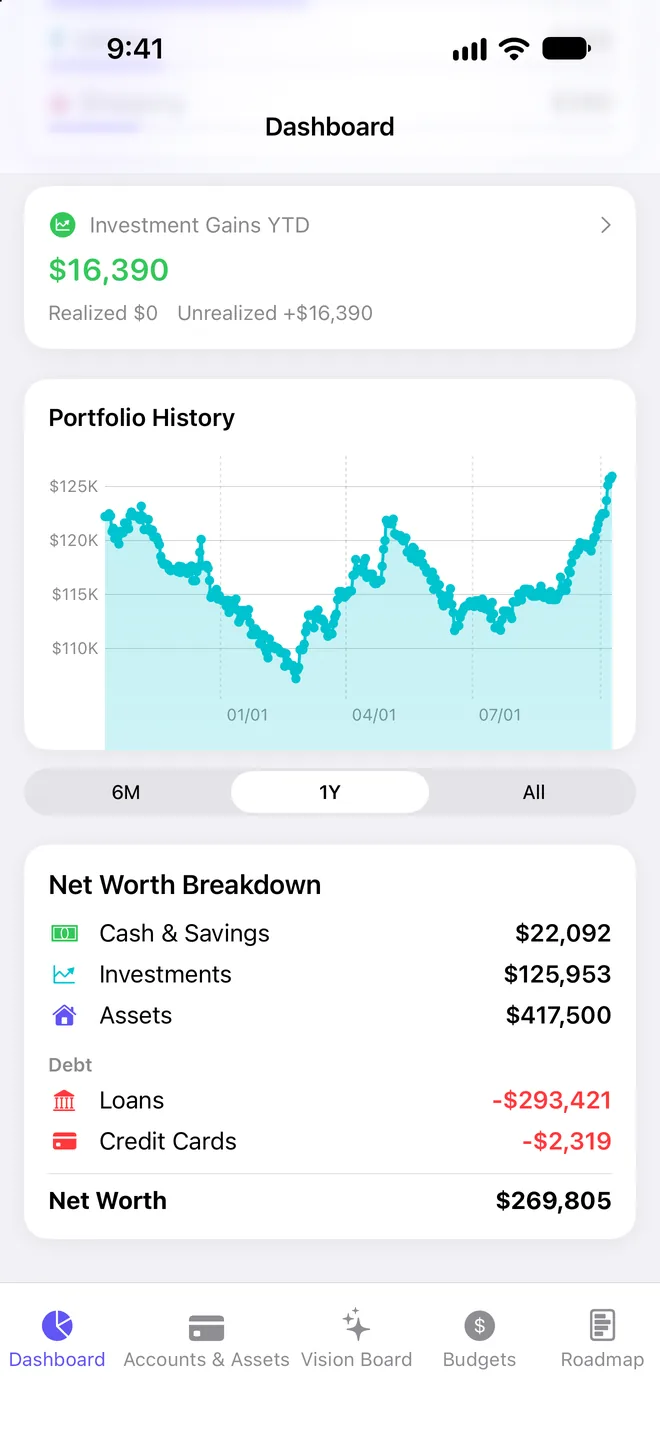
Every account, one number
Checking, savings, credit cards, cash, brokerage and retirement accounts, plus what you own outright: a home, a car, a stake in a business.
Broken down, tracked over time
Net worth split into cash, investments, property, loans and credit cards, with daily snapshots so you can watch the curve move.
Custom groups
Bundle accounts into buckets like “Retirement,” “House fund” or “Business” and see a combined balance at a glance.
Assets with equity
Enter a market value and what you still owe. FinTabi tracks the net equity that flows into your net worth.
Know if you’re on track to retire.
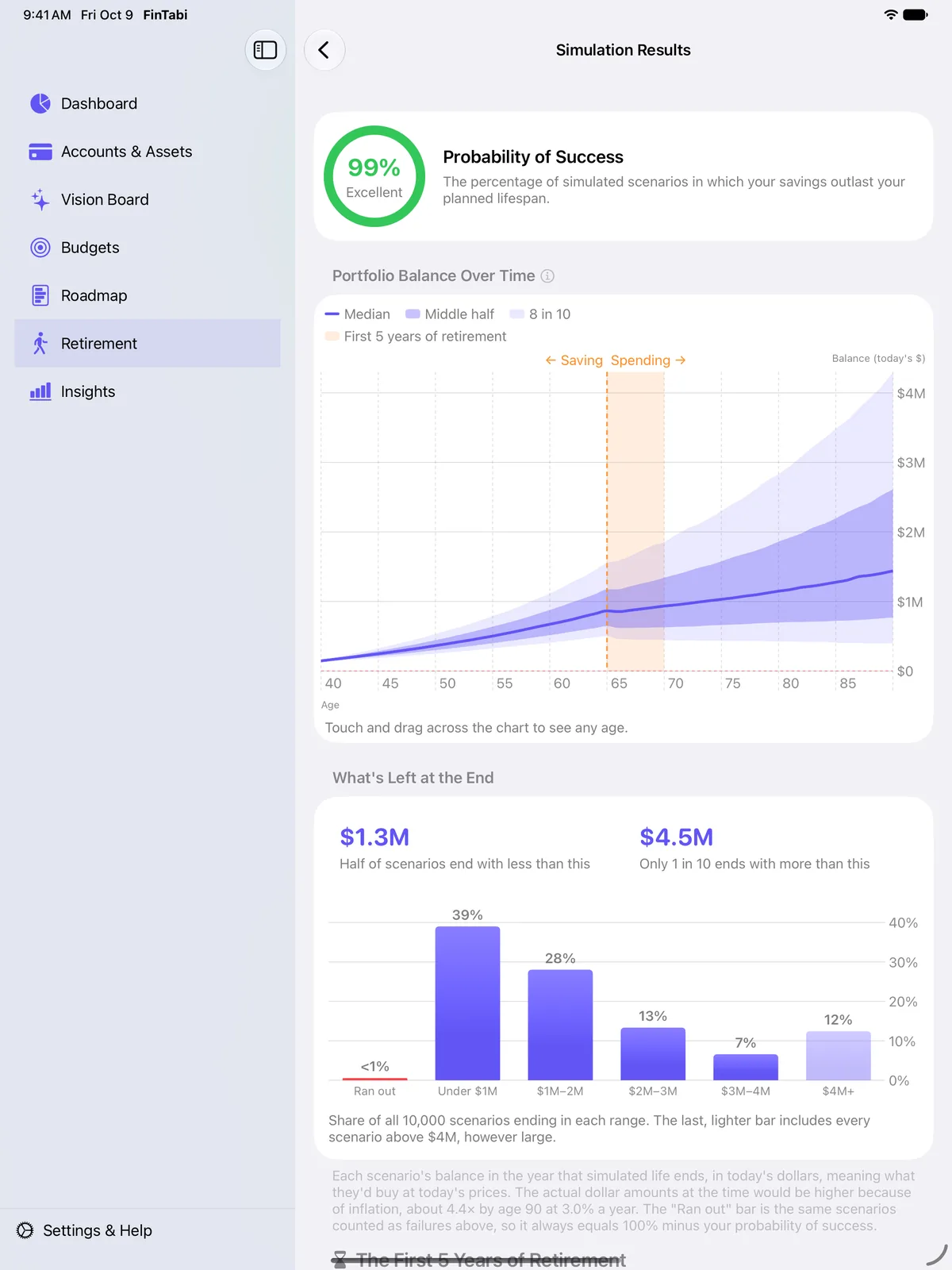
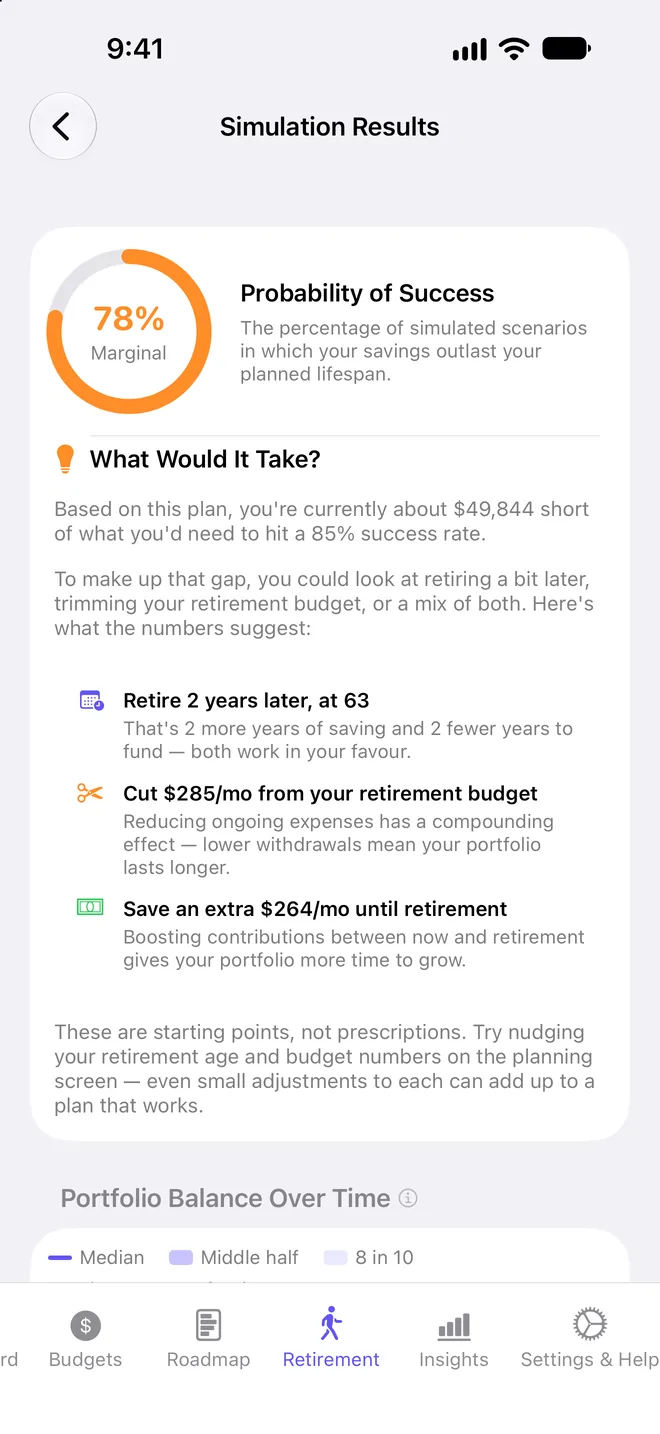
FinTabi runs 10,000 simulations of your plan, each with varying returns and inflation, and shows how often your savings outlast you.
- Factors in Social Security, pensions, part-time work, taxes and your mortgage
- See the range of what you’d have left at the end, in today’s dollars
- A range of outcomes, not a single optimistic line
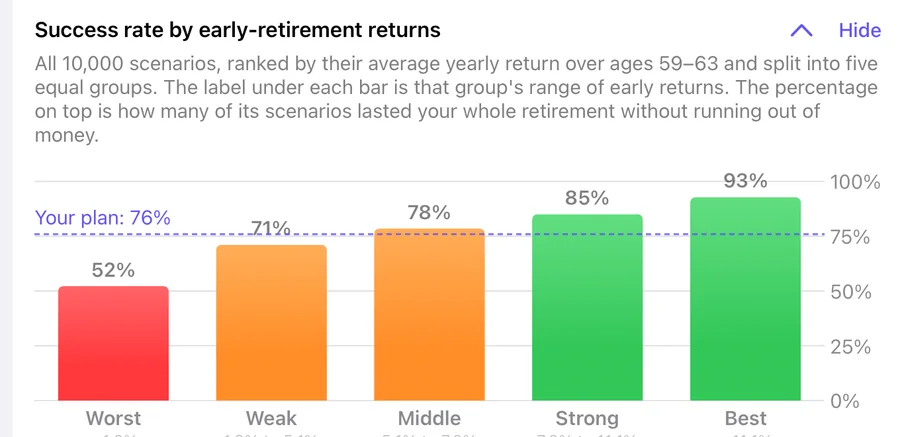
- Find out how exposed you are to retiring into a down market
What would it take?
If your odds fall short, see how much later to retire, how much less to spend, or how much more to save.
The first five years
Every scenario ranked by its early returns, so you can see what a bad start would do, and what softens it.
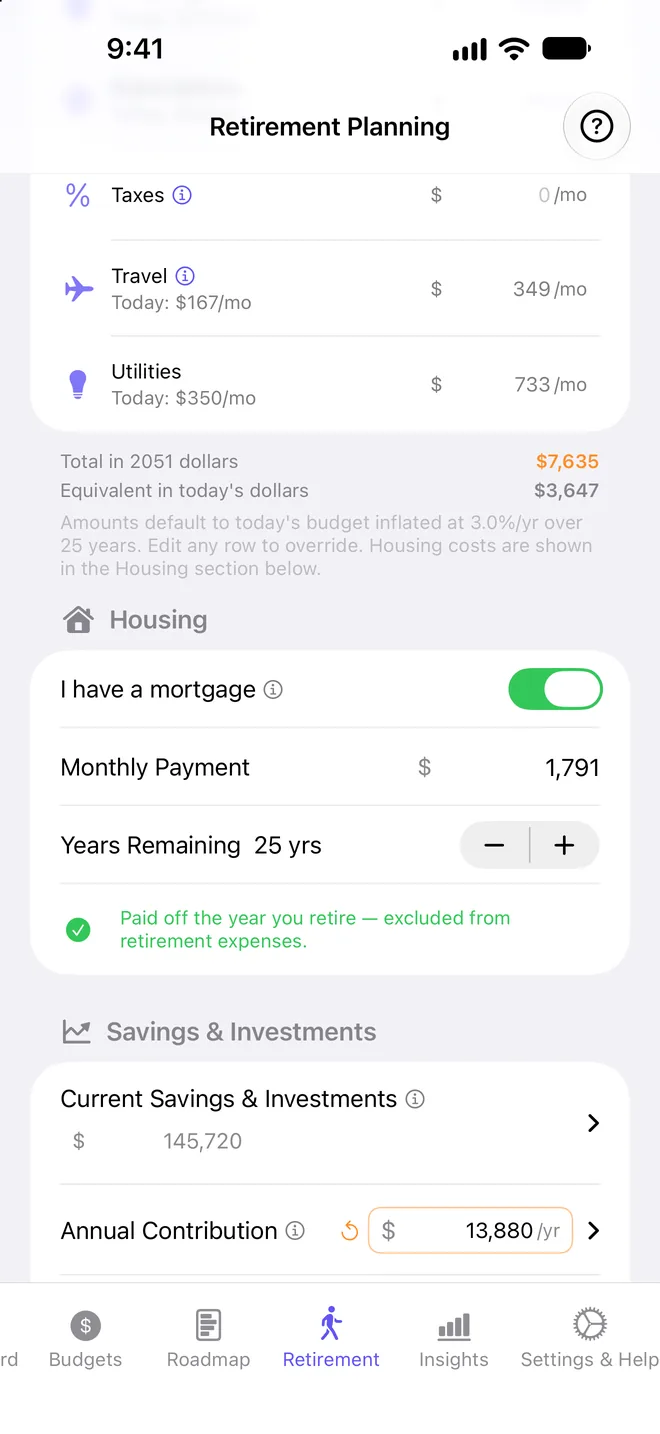
Your whole plan
A retirement budget from today’s spending, your mortgage, savings, contributions and other income.
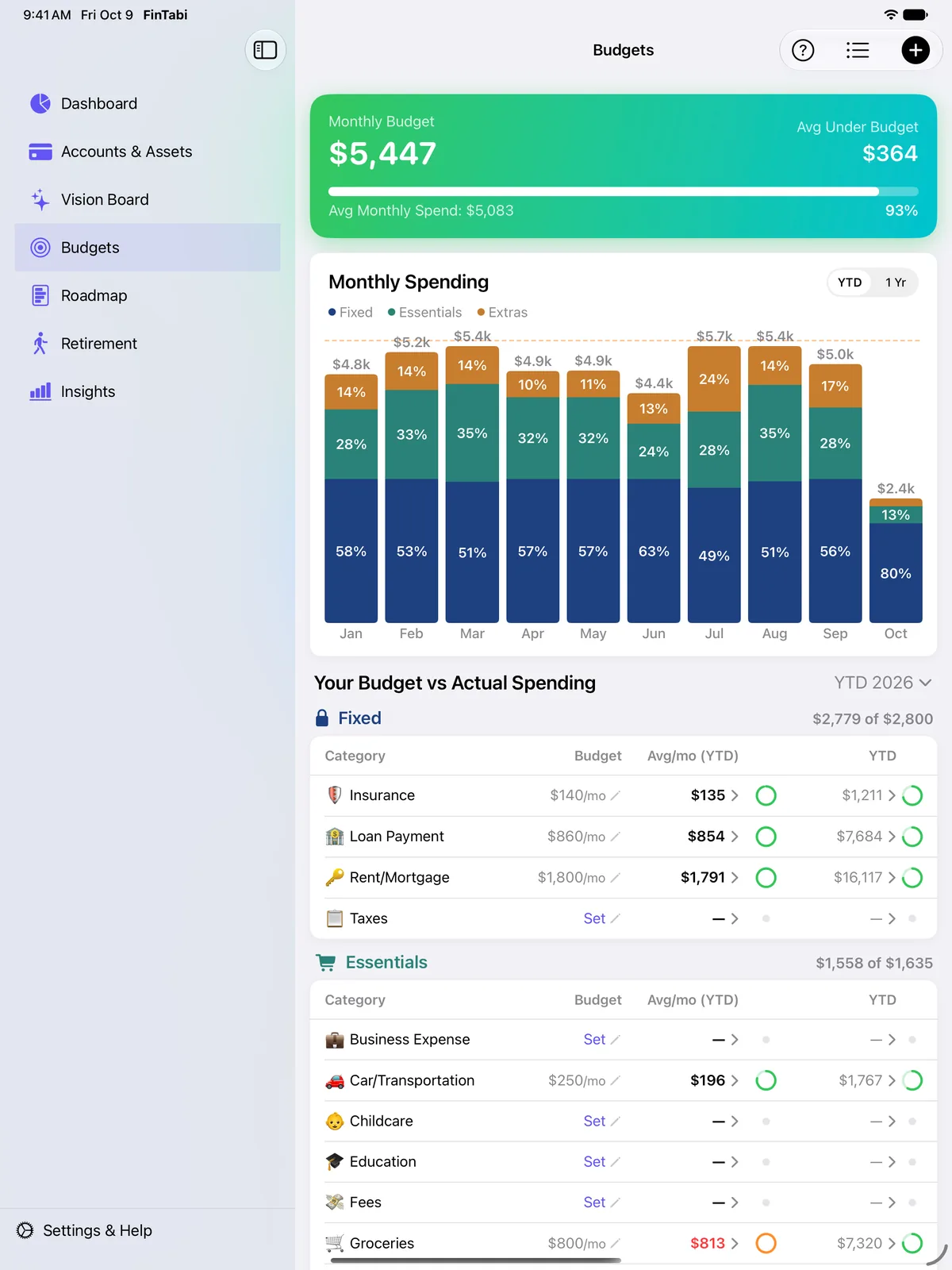
Start with what you actually spend.
You don’t need a budget to get value here. Import a year of statements and FinTabi shows your real monthly averages, then helps you set limits grounded in reality.
Fixed, Essentials and Extras
Categories grouped by how much room you really have, so you know what’s realistic to cut.
- Monthly or annual budgets per category
- Stacked monthly spending chart by group
- Drill into any category to see the transactions behind it
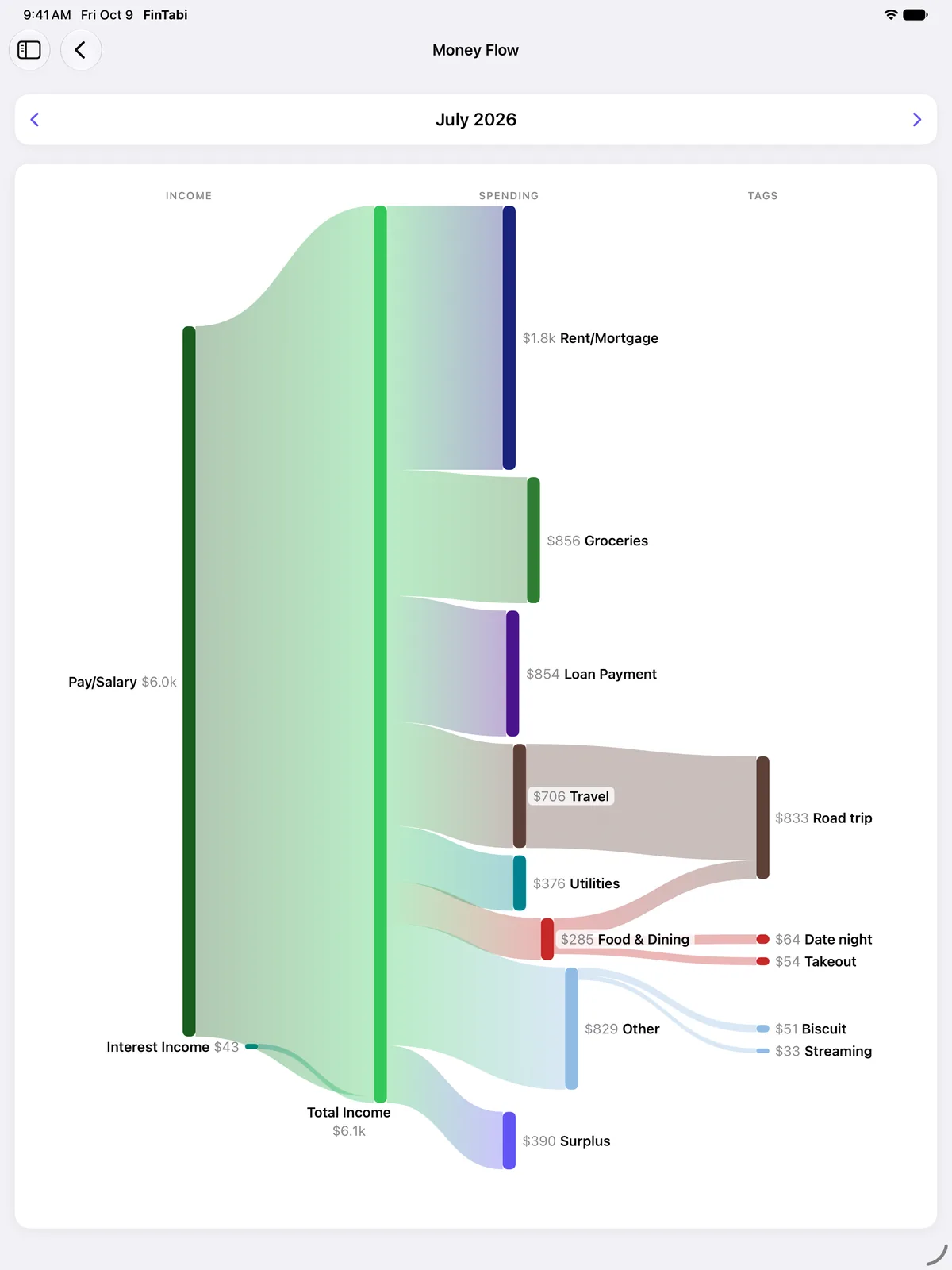
See where every dollar goes
Each month’s income traced to where it ended up. Tag a road trip and see what it really cost.
- Tap any band to see its transactions
- Starter and custom reports in Insights
- Search any merchant or keyword across all accounts for the total
Import statements, not passwords.
FinTabi never asks for your bank login. Download a statement from your bank or broker and import it; everything is read right on your device.
Transactions
- OFX, QFX and QBO come through precisely. If your bank offers them, use them.
- CSV and PDF are read on your device and shown for review before anything is saved.
- Balance validation checks opening and ending balances, so you know every transaction was captured.
- Categories that learn your merchants with every import.
- Tags, search, filters, bulk edits and duplicate detection.
Investments
- Stocks, ETFs, options, bonds, CDs, crypto and cash across brokerage and retirement accounts.
- Tax lots that follow your broker’s cost basis method.
- Gains this year, including dividends and interest.
- Import dividends and interest from your broker’s CSV and see totals by symbol.
- Prices refresh automatically (15-minute delayed quotes).
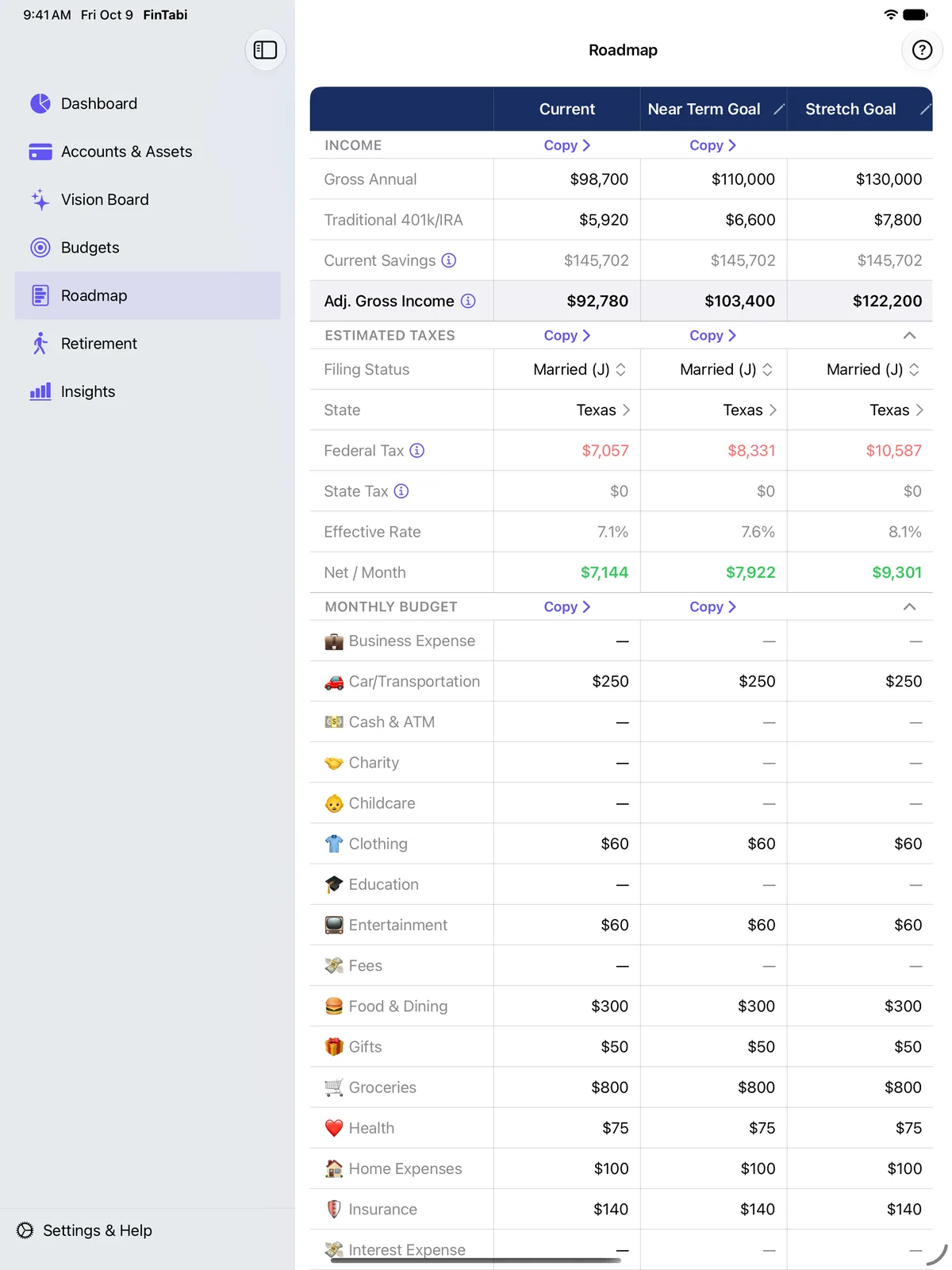
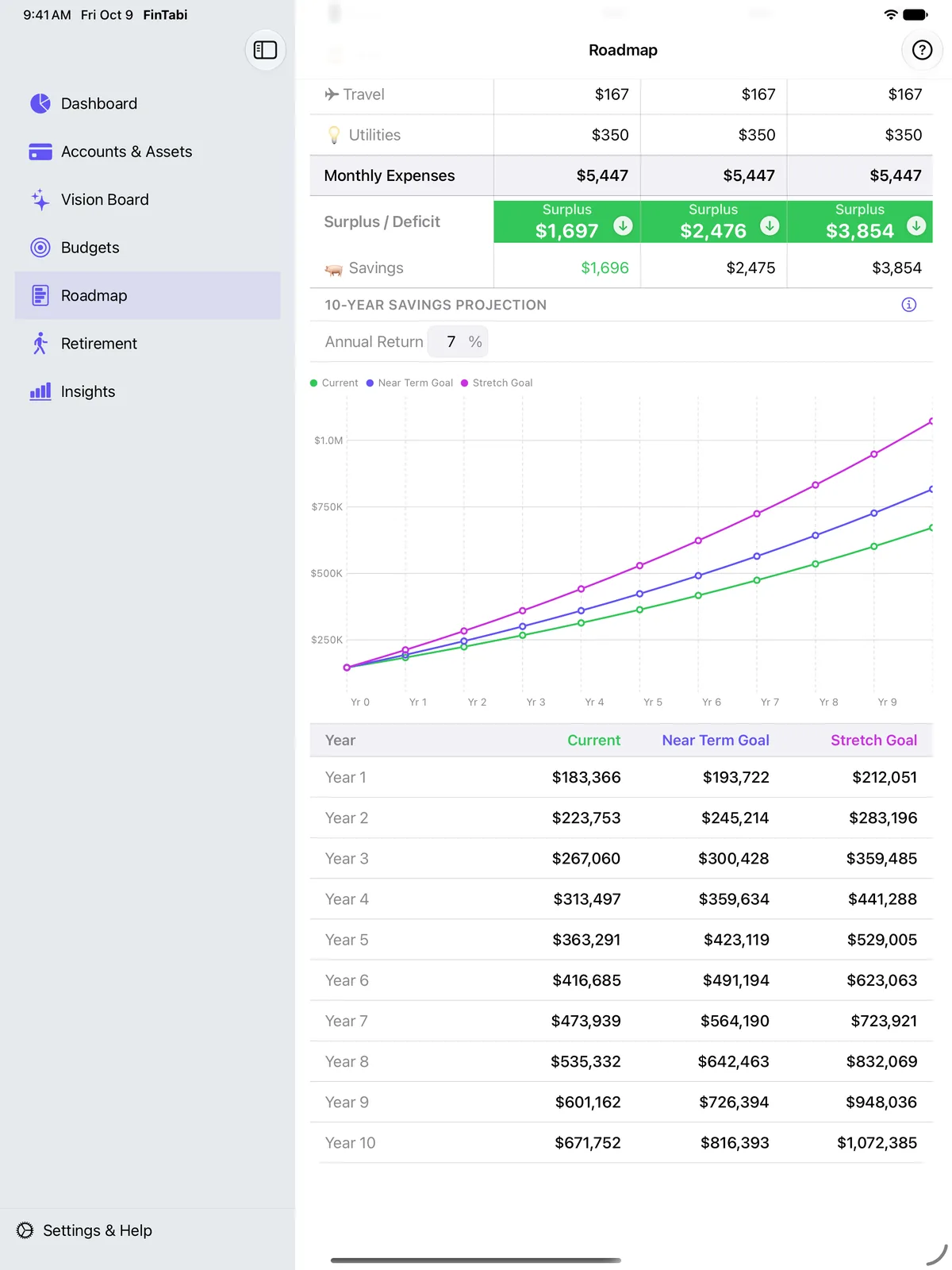
See where today’s choices lead.
Three versions of your financial life side by side: where you are, a near-term goal and a stretch goal.
- Estimated taxes and monthly take-home for each scenario
- Adjust any budget line and watch the surplus update
- A 10-year projection shows the long-term cost, or payoff, of a raise, a move or a new car payment
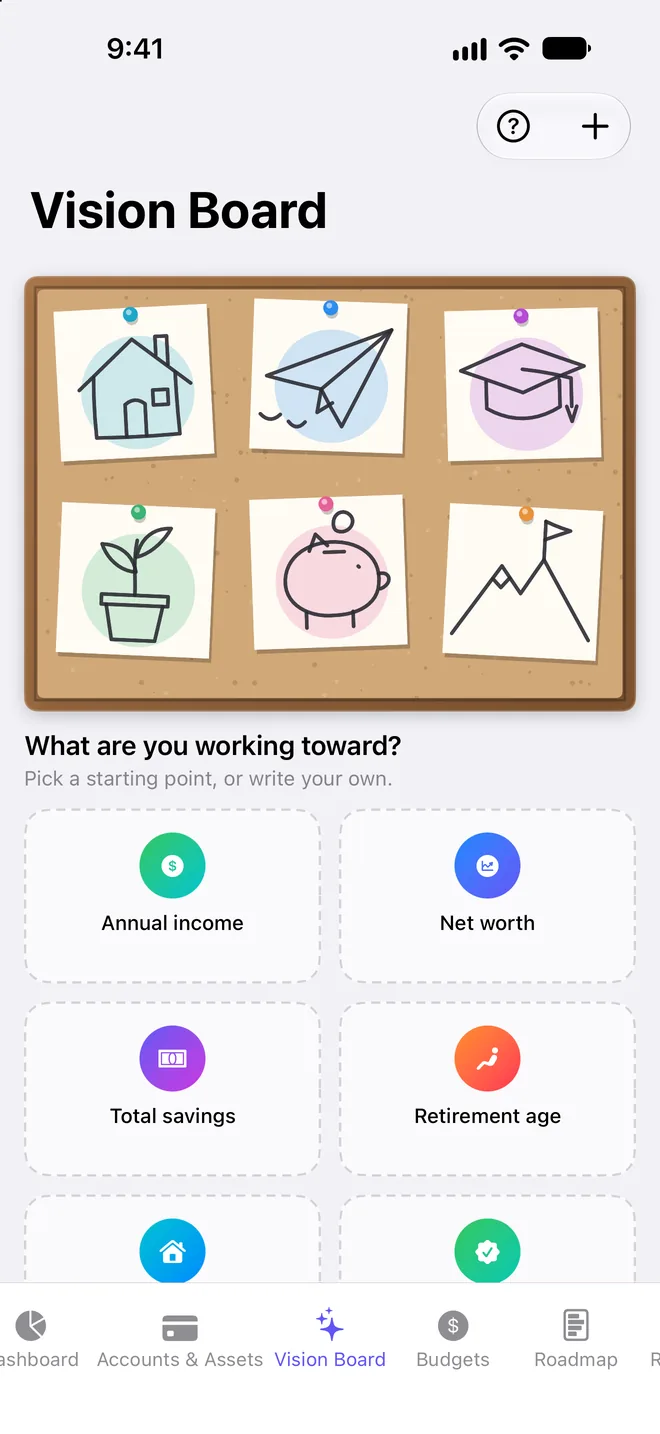
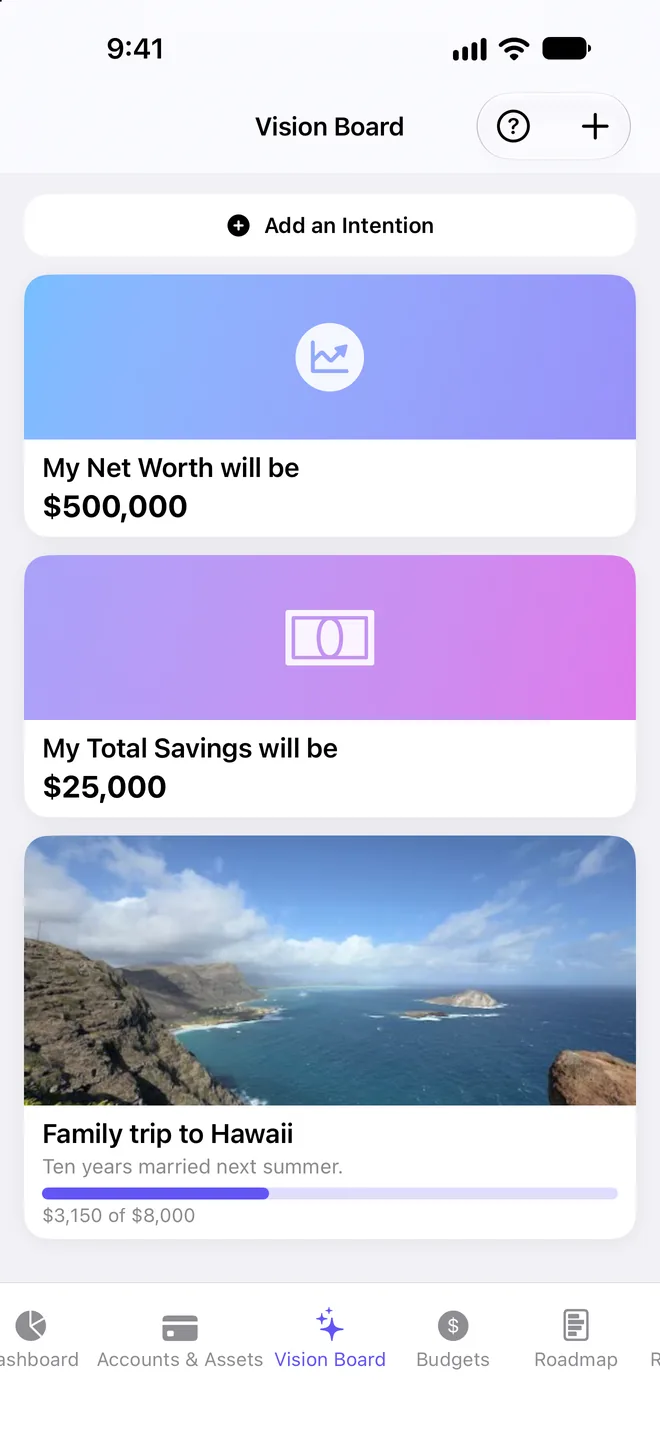
Picture the life you’re building.
Name the income, net worth, savings and retirement age you intend to reach, and pin the trip, the house or the business with your own photos. It’s the part of FinTabi that reminds you what the numbers are for.
Questions, answered
How much does FinTabi cost?
Every feature is free for your first month. After that it’s $0.99 a month. There are no ads, no tiers and nothing else to buy. You can cancel anytime in your Apple Account subscription settings.
Why doesn’t FinTabi connect directly to my bank?
That’s deliberate. Bank-connection services require sharing your bank credentials with a third party and charge per-account fees that would cost far more than $0.99 a month. Importing a statement takes a few extra taps, but it keeps your logins private and the price low.
Where is my data stored?
On your Apple devices and, if you use iCloud sync, in your own private iCloud account. We don’t operate any servers that store your financial data, and we can’t see it.
Do I need to create an account?
No. There is no FinTabi account or sign-in. Open the app and start.
What happens to my data if I delete the app?
If you use iCloud sync, your data stays in your iCloud account under your control. If you delete it from iCloud too, it’s gone — because it was always yours.
Does anything ever leave my device?
Your financial data doesn’t. A few features need outside information to work — for example, looking up current stock prices by ticker symbol. Those are described in section 4 of our Privacy Statement.
Which statement formats can I import?
OFX, QFX, QBO, CSV and PDF. OFX/QFX give the most accurate results. PDF import has been tested against many popular banks and should handle most others, but layouts vary, so review your first import from a new bank carefully.
Which devices does FinTabi run on?
iPhone, iPad and Mac. It works everywhere, but it really shines on the larger screens of iPad and Mac, where you can see more of your budgets, Roadmap and charts at once. With iCloud sync, your data stays in step across all of them.
Is FinTabi financial advice?
No. FinTabi is a tool for organizing and projecting your own numbers. Projections are estimates based on the assumptions you enter.
How do I get help or send feedback?
Email support@fintabiapp.com. FinTabi is built by one person, and every message is read.
Try every feature free for a month
Then just $0.99 a month. No account, no tracking.
Download on theApp Store